You can test your own in-vehicle applications with the emulator.
MAZDA EMULATOR
for Android™ Automotive OS
ABOUT THE NEW MAZDA CONNECT
Mazda Connect is evolving constantly as Mazda's unique connectivity system. The new Mazda Connect with Google built-in offers a more personalized driving experience. With Google Play, users can easily download your favorite apps on your car just as you would on your phone.
How about exploring the fun of developing your own automobile applications to offer new value to drivers and passengers.
ABOUT THE EMULATOR
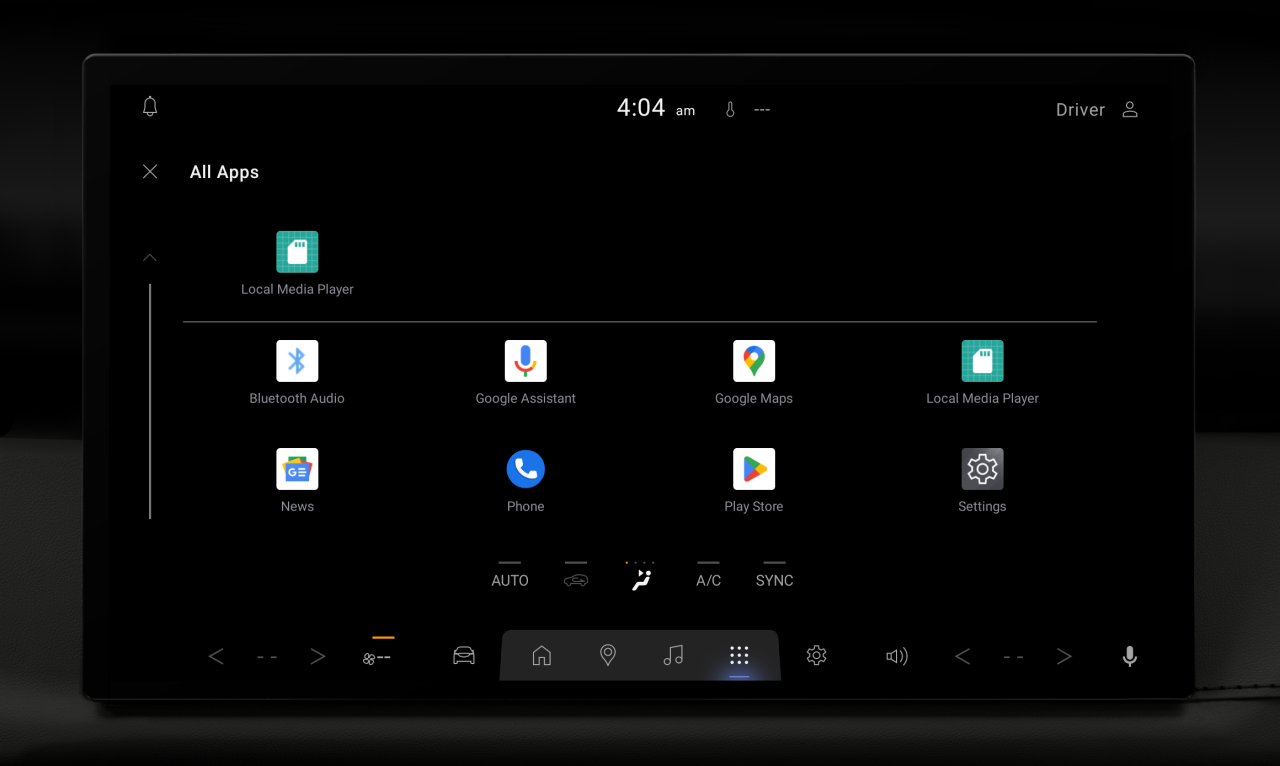
The Mazda Emulator for Android Automotive OS allows you to build and test applications for Android Automotive OS in an environment as close to a real car as possible. It features a full implementation of many Google applications and services including Google Gemini[1] or Google Assistant, Google Maps, and Google Play.
SETUP THE EMULATOR
PREREQUISITES
- Install the latest version of Android Studio. Download Android Studio here.
- Create an Android Virtual Device (AVD) to check it works.
INSTALL SYSTEM IMAGES
- In Android Studio, click Tools > SDK Manager.
- Click Add (the "+" icon) in the SDK Update Sites.
- Enter the following:
Name : Mazda System Images
URL : https://www.mazda.com/content/dam/mazda/corporate/mazda-com/en/pdf/apps/mazda-ivi-sys.xml - In the SDK Platforms, enable the Show Package Details checkbox.
- Select Mazda IVI-SYSTEM Image under Android 13 or later.
- Click OK to start the installation.
CREATE A VIRTUAL DEVICE
- Restart Android Studio before creating a new AVD.
- In Android Studio, click Tools > Device Manager.
- Click Add a new device (the "+" icon) > Create Virtual Device.
- Select Mazda-IVI-SYSTEM device from the Automotive category and click Next.
- Under x86 Images tab, select the system image that includes Mazda IVI-SYSTEM Image in the Target, and click Next.
- Review the configuration and click Finish.
You can now start the emulator from the Device Manager.
FAQ
Android Automotive OS is an Android-based operating system optimized for automobiles. It can run Android applications just like a smartphone. However, applications need to include implementations specific to Android Automotive OS.
Android Auto is a platform that runs on an Android smartphone and lets you connect your phone to a compatible in-vehicle infotainment system and project your phone’s screen onto the car’s display. Users can use applications installed on their smartphones that are compatible with Android Auto.
Android Automotive OS is an operating system that runs directly on the in-vehicle infotainment system and operates independently. Users install and run applications directly on the car.
You can build applications for specific categories in Android Automotive OS. Please check here for more details.
Some applications can only be used when the vehicle is parked.
These applications can be distributed on Google Play.
For safety reasons, ADB cannot be used in a real vehicle. If you want to verify that your application works on Mazda Connect, please use the emulator.
Google, Android, Google Maps, Gemini and other marks are trademarks of Google LLC.
[1]: Check responses. Setup required. Compatibility and availability varies. 18+